
Introduction
Picture this: You’ve just wrapped up a phenomenal three-day trade show. And, you shook hands and made great connections. You’re flying home with a stack of business cards thick enough to double as a paperweight. But, the post-event high quickly fades when you realize what comes next: hours of tedious, mind-numbing manual data entry await to get those contacts into your system.
Manual typing isn’t just a morale killer for your sales reps. It is notoriously prone to human error. Every keystroke introduces the risk of a misspelled email address or a transposed phone number. Plus, manual entry wastes valuable selling time. Also, it severely delays your follow-ups while your prospects are still hot.
The modern solution is simple. Swap manual labor for a business card scanner app to digitize contact information instantly right on the event floor.
However, transitioning from paper to digital isn’t just about taking a photo of a card. True efficiency relies on getting captured data out of the app and into an actionable format seamlessly. Further, a neatly organized Excel spreadsheet or CSV file works best. This becomes especially critical when managing an entire sales team. You need all your data centralized and ready for action.
II. The Hidden Trap of Standalone Mobile Scanning Apps
If you search your phone’s app store right now, you’ll find a flooded market of standalone business card scanners. At first glance, they seem like a quick, easy fix for the post-event data dump. However, most apps run only on your mobile device. This creates a significant bottleneck for growing businesses.
The Downfall: A basic app might scan a card and add a new contact to your phone’s address book. But, it effectively traps your data on that specific device. Moreover, many standalone applications lack the option to easily export or bulk-download collected contacts into an Excel or CSV file.
When lead data stays stuck on individual mobile devices across your sales team, you create dangerous “data silos.” Fragmented and siloed data drastically slows down sales cycles. Also, it creates inconsistencies and hurts team alignment. Further, your reps might be forced to manually email individual contact records to themselves to utilize Excel’s data later. If so, you haven’t solved the manual entry problem—you’ve just replaced it with an equally frustrating digital hurdle.
III. Why You Need Your Leads in Excel (and Fast)
Digitizing a name and email on the trade show floor is only step one. Step two is actually making that data work for your business. Here is why getting your leads into an Excel or CSV format remains the absolute gold standard for B2B sales teams:
- Effortless Data Manipulation: Raw data rarely comes perfectly organized. Excel allows for instant sorting, filtering, and data cleanup. You can quickly segment leads by industry, title, or geographic location. Do this before assigning them to specific reps. Utilizing Excel’s powerful sorting and filtering tools ensures your team prioritizes the hottest leads first. You avoid calling down a random alphabetical list.
- Universal CRM Preparation: Whether you use HubSpot, Salesforce, or a proprietary system, CSV files act as the universal language. They connect seamlessly with almost any sales software. A clean CSV file ensures a frictionless bulk data import into your CRM. This saves your marketing operations team hours of manual formatting and data mapping.
- Consistent Data Retrieval & Custom Reports: Basic mobile apps often limit your reporting capabilities. Worse, renting traditional badge scanners from event organizers creates new headaches. Data formatting varies wildly for every single event you attend. Bypassing these limitations by moving your data into Excel from a standardized platform changes everything. Your information stays accessible all the time in the exact same format. You can access it anytime from a single online reporting portal. This allows you to build custom spreadsheets and track campaign ROI accurately. You can also execute faster follow-ups without being restricted by a standalone app’s limitations.
IV. The Practical Workflow: From Paper to Spreadsheet in Seconds
To understand the “stop typing and start selling” mantra, look at this technology’s practical application. How much time do you actually save? What does the new workflow look like?
Consider this: manually typing 100 business cards takes three to four hours. You must enter names, titles, companies, emails, phone numbers, and context notes. That loses half a day of valuable selling time to administrative data entry. A Salesforce report shows reps spend only 40% of their time selling. The rest goes to admin tasks.
Using a business card scanner app linked to a web portal slashes that time. That four-hour data entry session becomes a five-minute export process. Here is what that time-saving workflow looks like:
- The On-The-Floor Scan: You receive a card, open the app, and snap a picture. Optical Character Recognition (OCR) technology instantly digitizes the text. You add a quick digital note (e.g., “Interested in Q3 pricing”) and move on to the next conversation.
- The Web Dashboard Export: After the event, you don’t stare at a pile of paper. You log into your web portal from your laptop. You select your event campaign and click export.
- Data Activation in Excel: You open your freshly downloaded .csv or .xlsx file. Now, instead of typing, you are analyzing. You can immediately use Excel’s conditional formatting to visually highlight specific high-value job titles (like “CEO” or “Director”), or utilize data validation to ensure your list is perfectly primed for your CRM.
While your competitors are sitting in their hotel rooms typing out email addresses one by one, your automated Excel list is already uploaded to your CRM, and your personalized follow-up sequences are actively landing in your prospects’ inboxes.
V. The Cloud Advantage: Centralizing Team Data
The secret to truly maximizing your trade show ROI isn’t just handing your reps a basic mobile app; it’s deploying a hybrid solution. By equipping your team with a business card scanner app that is intrinsically linked to a robust, cloud-based web admin portal, you unlock a whole new level of operational efficiency.
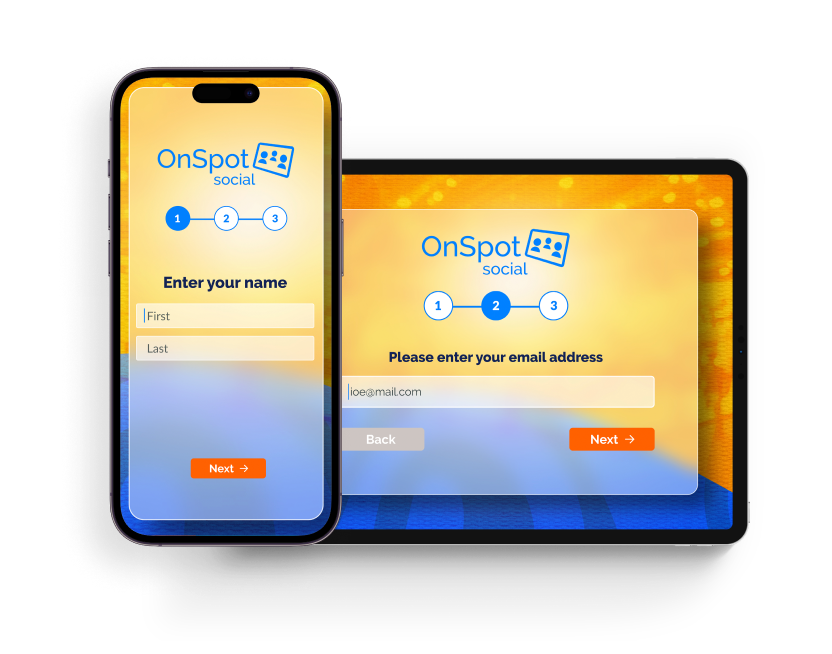
Think about a typical large-scale event. If you send five sales reps to walk the floor using standard, standalone apps, you end up with five separate, fragmented lists isolated on five different cell phones. However, with a cloud-integrated platform like OnSpot Social, every single scan captured by any team member syncs automatically to one centralized, web-based dashboard.
Because the system features this completely separate cloud aspect, management can simply log into the web admin area from any desktop computer. You can view, manage, and consolidate all the collected lead data across all your users in real-time.
Instead of chasing down individual reps for their mobile contact lists, a manager can download one master list with a single click. From there, it is incredibly easy to save the exported data as an Excel workbook, work with the spreadsheet on a larger desktop screen, and route the hottest leads to the right sales channels immediately.

VI. What to Look for in a Lead Capture Solution
Not all lead capture tools are created equal. When evaluating your options to escape manual data entry, look beyond basic mobile apps and the clunky hardware typically rented out by event organizers. Here is how a premium business card scanner app stacks up against the alternatives:
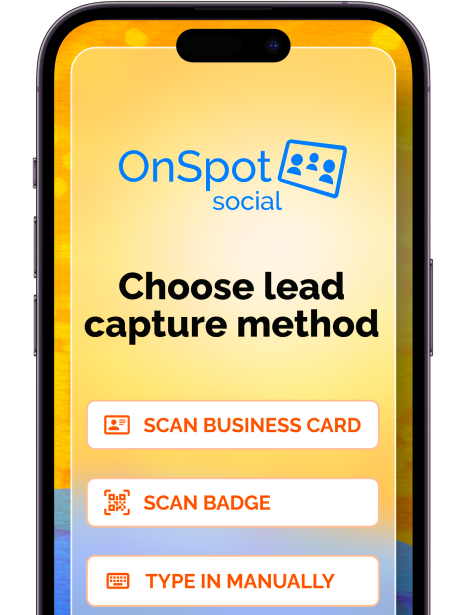
- True Versatility (Cards & Badges): You shouldn’t have to juggle two different systems. Standard scanner apps typically only read business cards, while rented event hardware only scans badges. Look for a comprehensive platform like OnSpot Social that scans both seamlessly.
- Reliable Offline Functionality: Trade show Wi-Fi is notoriously spotty and expensive. Most basic scanner apps fail without a constant internet connection. Enterprise-grade solutions work flawlessly offline, securely storing your leads and automatically syncing to the cloud once a connection is re-established.
- Instant Lead Qualifying: Just capturing a name isn’t enough to close a deal. The right software allows reps to add digital notes and qualify leads on the spot. This ensures that when you finally export your data, your spreadsheet contains valuable context, allowing you to use Excel’s data filtering capabilities to instantly identify high-priority targets.
- One-Time Setup vs. Event-by-Event Chaos: Traditional badge scanners provided at events require manual setup, user configuration, and completely new data formatting for every single event. A modern, cloud-based app requires just a simple, one-time setup. This guarantees a standardized data format across all your campaigns, meaning your team spends less time using complex Excel functions to clean up messy data and more time actually selling.
- Complete Account Management: While rented event scanners and basic apps leave you managing isolated data streams, a professional tool allows you to manage your entire account—from user access to instant CRM syncing—directly from a comprehensive web-based dashboard.
Conclusion: Work Smarter, Not Harder
Moving away from manual typing and basic standalone mobile applications is one of the most effective ways to accelerate your sales pipeline and eliminate post-event burnout. By adopting a cloud-integrated scanning solution, you destroy data silos, empower your entire team, and ensure your hottest leads are routed and ready before the trade show floor even closes.
“Stop Typing and Start Selling” isn’t just a catchy phrase—it’s a fundamental shift in how your team operates. Every minute spent squinting at tiny fonts on paper cards and pecking at a keyboard is a minute stolen from building relationships, pitching your product, and actually closing deals. By transforming your physical leads into a structured, easily manageable Excel database instantly, you remove the administrative friction that typically kills post-event momentum. You hired your team to sell, not to do data entry. Give them the tools they need to leave the manual work in the past and focus entirely on turning those hard-earned trade show connections into your next big clients.
Stop typing and start selling. Reclaim your team’s valuable time and equip them with a business card scanner app that seamlessly bridges the gap between the mobile device in your hand and the desktop back at the office. Start your free trial today and equip your team with OnSpot Social.
The fastest way to convert business cards to Excel is by using a cloud-integrated business card scanner app. These apps use Optical Character Recognition (OCR) to instantly digitize text from a photo. From there, you can log into a centralized web portal and export your collected event data directly into an organized .csv or .xlsx file in just minutes.
The best alternative to typing out leads manually is a centralized lead capture solution like OnSpot Social. It bridges the gap between mobile scanning on the event floor and desktop management back at the office, eliminating the hours typically lost to manual data entry by instantly formatting contacts into a structured digital database.
While free or basic apps often fail without an internet connection, enterprise-grade solutions are designed to function flawlessly offline. They securely store your captured leads locally on your mobile device and will automatically sync them to your centralized cloud dashboard once a Wi-Fi or cellular connection is re-established.
Standalone mobile apps effectively trap your lead data on individual devices, creating dangerous “data silos.” This fragments your team’s lists and forces reps to email records to themselves just to utilize the data. A professional, cloud-based platform ensures that every scan from every team member syncs to one centralized master list for effortless downloading.
To smoothly import leads into CRMs like HubSpot or Salesforce, you should rely on CSV files, which act as the universal language for sales software. A premium capture app allows a manager to log in and download a master list of all scanned leads in a clean CSV format, ensuring a frictionless, bulk data import without hours of manual formatting.