
Introduction
The buzz of the trade show floor has faded, your flight home is over. Now, you’re back at your desk. But instead of riding the momentum of a great event, you’re staring down a towering stack of paper business cards. You’re dreading the tedious hours of manual data entry ahead.
This post-event scramble isn’t just frustrating, it actively hurts your sales cycle. Delayed follow-ups kill momentum. Research highlighted by Harvard Business Review shows a striking pattern. Companies contacting prospects within an hour are seven times more likely to qualify leads than those waiting 24 hours. When manually typing out contacts, that critical golden window snaps shut before you even make a dent.
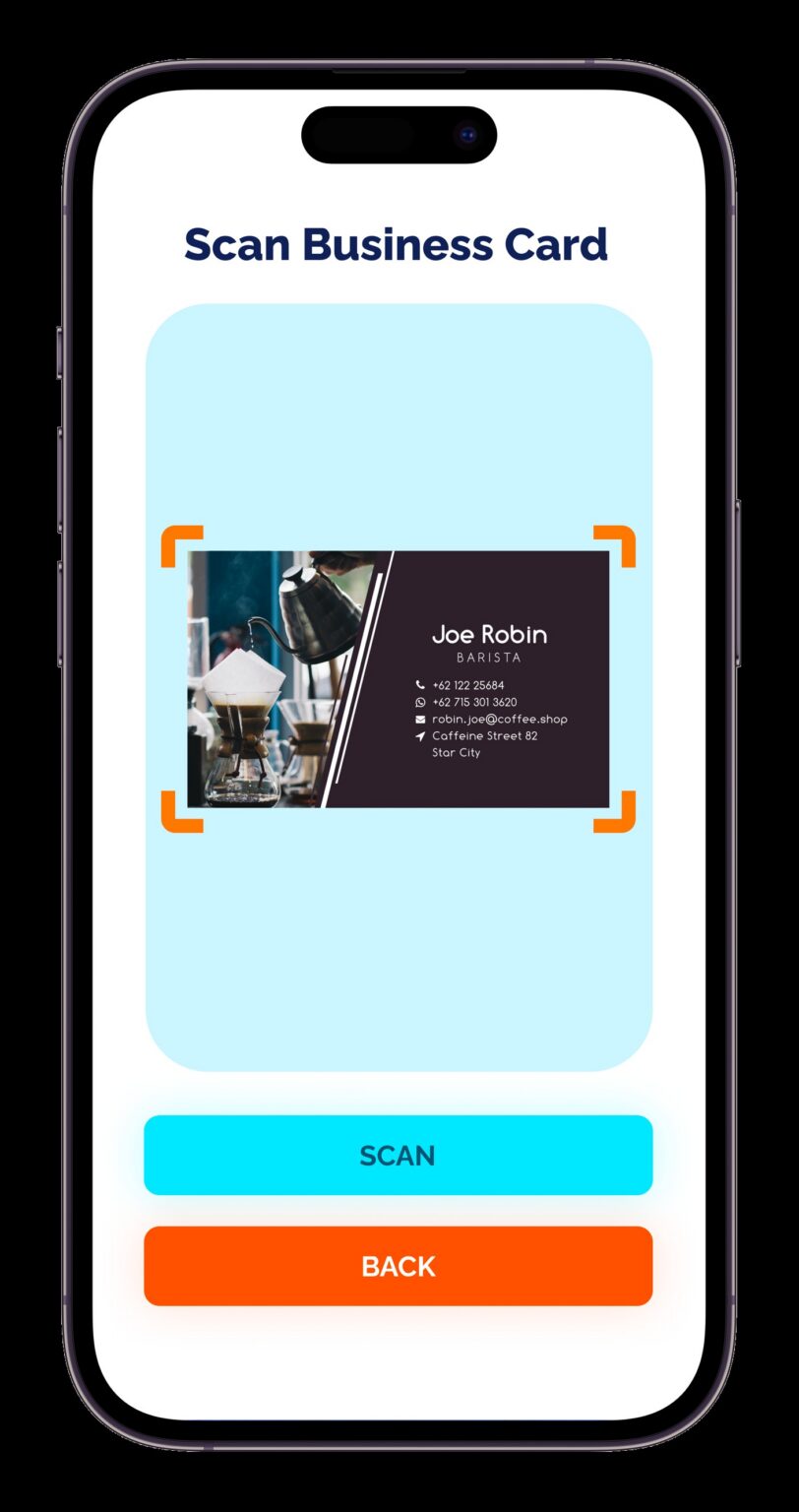
Solve this bottleneck by utilizing a dedicated business card reader for your iPhone. A modern scanning app goes beyond a digital Rolodex. It creates a seamless bridge between your in-person handshakes and digital sales workflows.
Transition to a specialized mobile app that does more than just save you a few hours of typing. A business card reader for your iphone completely automates manual processes and ensures your CRM data is perfectly accurate. Importantly, it guarantees that no valuable leads slip through the cracks while you’re busy traveling back from an event.
II. The Hidden Costs of Manual Event Networking
There is a significant, often uncalculated, cost to doing things the old-fashioned way. When you rely on collecting physical cards and processing them manually, you aren’t just creating busywork. You are actively draining resources from your sales and marketing efforts.
The Drain of Wasted Time: Every hour spent hunched over a keyboard typing contacts takes away from selling and relationship-building. After a busy trade show, processing hundreds of cards can easily consume an entire workday. That valuable time should be spent on personalized outreach, setting up discovery calls, and closing deals.
The Risk of Data Entry Errors: Human error is inevitable, especially when fatigue sets in after a multi-day conference. Manually adding contacts to a CRM significantly increases the risk of typos. A single misspelled email address or a transposed digit in a phone number instantly turns a hot lead into a dead end. When your database is built on flawed data entry, your post-event campaigns fail before they even launch.
The Qualification Gap: Perhaps the most damaging cost of manual networking is the loss of critical context. If you wait until returning to the office to qualify leads, you rely entirely on a memory that fades rapidly. Trying to recall who had urgent buying intent versus who was just browsing a booth becomes incredibly difficult days later. This “qualification gap” means high-priority prospects often get lumped into generic, automated email blasts instead of receiving the urgent, tailored attention they deserve.
III. Essential Features of a High-Performing Business Card Scanner App
Stop the bleeding of wasted time and lost opportunities and turn to specialized tech. Notably, not all data capture tools are created equal. What should you demand from your event technology to ensure a seamless, professional experience? And, what does a business card reader for your iPhone bring to the table?
Offline Functionality: Veteran exhibitors know that trade show floors and convention centers are notorious for terrible, overloaded Wi-Fi networks. If your lead capture tool requires a constant cloud connection to process a scan, you will inevitably hit bottlenecks during peak foot traffic. Choose an app featuring robust offline functionality to scan and store data securely on your device. Then, pick one that syncs only when a stable connection returns.
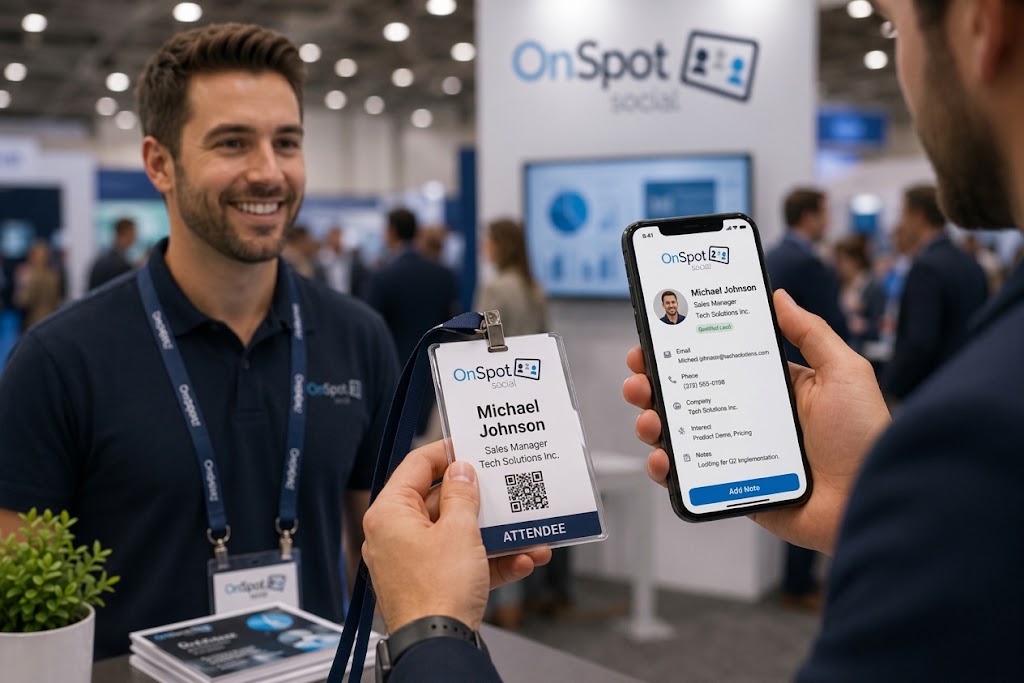
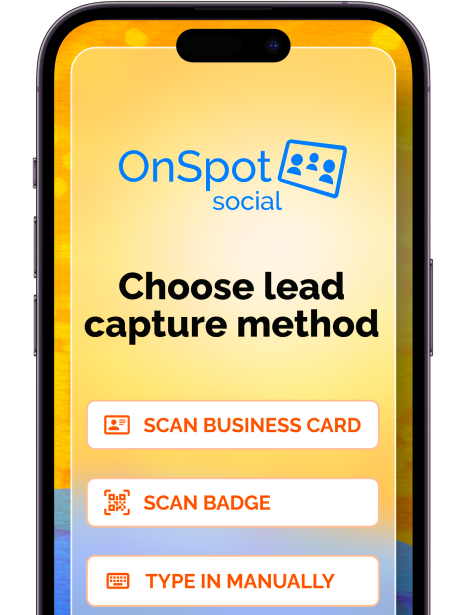
Dual Scanning Capabilities: Networking at modern events is a mixed bag. While many attendees rely on QR codes or lanyards, plenty still hand out traditional paper cards. A high-performing app shouldn’t force you to choose one medium over the other. Procure an app with dual scanning capabilities to handle both event badges and physical business cards effortlessly. Keep your workflow uninterrupted regardless of how a prospect shares their information.
Automated Lead Qualification: A name and an email address are just raw data. Your sales team actually needs context. According to industry leaders like HubSpot, effective lead qualification is the cornerstone of a healthy sales pipeline, as it prevents reps from wasting time on poor-fit prospects. The best tools offer lead qualification features directly on the scanning screen. Choose an app that lets you add notes, assign tags, or complete quick survey questions while talking to the prospect.
When evaluating the right tool, utilize a robust business card scanner app ensuring your team is equipped for any networking scenario.
IV. Standard Apps vs. Event-Provided Scanners vs. OnSpot Social
When outfitting your team for an upcoming trade show, you typically have three options: rent the event-provided badge scanners, download a generic business card scanner app or invest in a dedicated, hybrid solution like OnSpot Social. Understanding the limitations of the first two is crucial for optimizing your event ROI and keeping your lead capture process smooth.
Renting hardware directly from the event organizer might seem like the default choice. But, it comes with significant operational drawbacks:
- Constant Reconfiguration: Event-provided scanners require manual setup for every single event. You are essentially starting your lead capture strategy from scratch each time you exhibit.
- Limited Scope: They are designed to do one thing: scan badges. If a qualified prospect hands you a traditional business card instead, you are stranded and forced back into manual data entry.
- CRM Nightmares: Because data formatting varies per event, exporting proprietary reports and wrestling that data into your CRM usually involves hours of tedious spreadsheet formatting.
Consumer-grade apps are convenient for an individual’s occasional use. But, they quickly fall short when deployed across professional sales and marketing teams:
- Single-Format Scanning: Most generic apps only scan physical business cards, meaning you are out of luck if an event relies heavily on smart badges.
- Connectivity Dependent: The majority of these apps require an active internet connection to process the scan and extract the text via the cloud.
- Fragmented Management: They lack centralized web dashboards for whole-team accounts, making standardization hard. Plus, they typically offer very limited reporting capabilities.
To truly streamline your event networking, you need a tool built for the realities of the trade show floor. OnSpot Social bridges the gap by offering a comprehensive solution designed specifically for businesses:
- One-Time Setup: You only need to set up your app, establish your CRM integration, and configure your data download formatting once. After that, it is ready to go for all future events.
- Total Versatility: It scans both business cards and badges, ensuring you seamlessly capture every lead regardless of how they share their contact info.
- True Offline Mode: It works 100% offline without the internet, so you are never held hostage by spotty venue Wi-Fi.
- Data Consistency: You can manage your entire account from a centralized web-based dashboard. Your data and reports are accessible all the time, in the exact same format, from the same secure online portal.
V. Automating Your Post-Event Workflow (Closing the Loop)
Once you have captured the data, the real value of a modern business card reader for an iPhone lies in what happens next. The ultimate goal isn’t just to store contact information, it’s to automate your entire post-event workflow so your team can close deals faster.
Use a high-quality scanner app to instantly digitizes the text from the card or the data from the badge. This completely eliminates manual data entry from your to-do list. Instead of spending your journey home squinting at small print and typing out email addresses one by one, use a device that does the heavy lifting in milliseconds, ensuring perfect accuracy.
Capturing the lead is only half the battle; getting it seamlessly into your sales pipeline is the other. Solutions like OnSpot Social feature direct CRM integration for events, completely bypassing the dreaded Excel spreadsheet export and import process. You no longer have to worry about mapping columns, fixing CSV formatting errors, or dealing with duplicate records. Your data flows securely and automatically into the systems your sales team already relies on.
Because leads are categorized and qualified on the spot—using custom surveys, notes, or priority tags directly in the app—your marketing engine doesn’t have to wait for you to return to the office. Automating CRM workflows and data entry allows teams to significantly increase their speed to lead and overall productivity. By the time you step off the trade show floor, your CRM can already be triggering automated, highly personalized email sequences based on the exact qualifications you noted during your face-to-face conversation.
Conclusion
Maximize your event ROI by Transitioning your team to a digital workflow with a good business card reader for your iPhone. Replace an outdated, manual process with a specialized scanning app to immediately reclaim lost hours. Eliminate costly data entry errors, and fully automate your sales funnel from the initial handshake to the final follow-up.
Ultimately, event networking should be about building genuine, lasting human connections, not burying yourself in tedious administrative work after the conference doors close. Spend your highly valuable time on the trade show floor engaging with prospects, understanding their pain points, and closing deals.
Stop wasting your post-event momentum on manual data entry and disjointed spreadsheets. Start your free trial today and equip your team with OnSpot Social for your next event and automate your lead capture process.
The best apps are dedicated, hybrid solutions like OnSpot Social. Unlike generic consumer apps or event-provided hardware, OnSpot Social is built specifically for businesses. It offers dual scanning for paper business cards and smart badges. This ensures you capture every lead regardless of format.
To collect leads without an internet connection, use a lead capture tool with true offline functionality. Try OnSpot Social, which allows you to scan business cards, qualify leads, and store data securely on your device 100% offline, syncing automatically once a stable connection is re-established.
Automate your post-event workflow by using a specialized business card scanner app with direct CRM integration. Let the app scan and instantly digitize contact information and push it securely into your existing CRM. Bypasses tedious spreadsheet exports and column mapping.
Manual data entry drains valuable time that could be spent selling. It increases typo risks that turn hot leads into dead ends. Plus, it creates a qualification gap where you lose crucial context about a prospect’s buying intent.