If you’ve ever left a bustling trade show or conference with a stack of business cards, only to find that you’ve lost track of potential leads amid the chaos of hurried exchanges and misplaced cards, you’re not alone. Many sales and marketing professionals face this challenge. This is where a lead capture app comes in—a practical solution designed to help you stay organized.
In this blog, you’ll discover how to get started with a lead capture app and effectively capture and manage leads at events. We’ll cover the basics of lead capture apps, help you develop a robust event strategy, and guide you on choosing the right app for your business. By the end of this article, you’ll be well-equipped to leverage lead capture apps to boost your sales and marketing efforts. Plus, don’t miss our special offer at the end of the article!
The Basics of a Lead Capture App
Traditional lead capture methods, like collecting business cards or manually entering data into spreadsheets, often result in lost information and delayed follow-ups. Also, these methods are time-consuming and prone to errors.
What exactly is a lead capture app? Simply put, lead capture apps are tools that help gather contact details and other relevant information, organize those records, and engage with potential customers more effectively. As such, lead capture apps streamline this process with customizable digital forms, automatically organizing data into a centralized database. This ensures consistent and thorough follow-up.
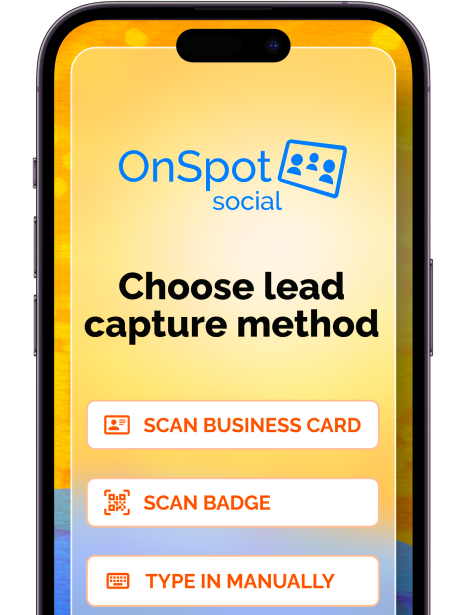
Apps like OnSpot Social offer features such as customized forms to collect contact information, automated messages to engage potential customers, CRM integrations to track and organize communications, and email marketing integrations that enable timely engagement and nurturing of leads. Additionally, many apps can provide analytics and reporting tools to optimize your event lead capture strategy.
Once you get started with a lead capture app, it’s important to start integrating the lead capture app into your marketing strategy. Enhance the efficiency and effectiveness of your event lead capture strategy, allowing your focus to shift to converting leads rather than administrative tasks.
Develop a Lead Capture Strategy
Developing a successful lead capture app strategy is essential for success even with a lead capture app. Optimizing event performance involves more than just choosing the right app. It requires a comprehensive approach that aligns with your overall marketing goals. So, here are some essential steps to create an effective lead capture strategy:
- Define Your Goals:
Determine what you want to achieve with your lead capture efforts. Are you looking to increase your contact database, boost sales, or improve customer engagement? Clear goals will help you measure success and make necessary adjustments.
- Identify Your Target Audience:
Understand who your ideal leads are by considering their demographics, interests, and behaviors. This knowledge will help you create targeted and relevant forms that attract the right prospects. Also, developing detailed buyer personas can be particularly helpful in this process. For a comprehensive guide on creating buyer personas, refer to HubSpot’s Free Buyer Persona Template.
- Design Effective Forms:
Use the customizable forms feature in apps like OnSpot Social to create engaging and straightforward forms. Keep the fields to a minimum to avoid overwhelming potential leads. Further, ensure the forms are visually appealing and easy to fill out.
- Plan Your Follow-Up Process:
Developing a robust follow-up strategy is essential to nurture your leads and convert them into customers. Timely follow-ups significantly impact conversion rates. Research shows that 35-50% of sales go to the vendor that responds first. Additionally, 23% of companies failed to respond to potential customers at all. By implementing a well-structured follow-up process ahead of time, you can maximize the potential of your captured leads and improve your conversion rates.
- Analyze and Optimize:
Regularly review the analytics and reporting tools provided by the lead capture app. Also, monitor the performance of your lead capture forms and follow-up processes. Use the insights gained to optimize your strategy continuously.
What to Look for with Lead Capture Apps
Choosing the right lead capture app is crucial for the success of your lead capture strategy at events. Thus, here are key features and considerations to keep in mind when evaluating different apps:
Key Features of Lead Capture Apps:
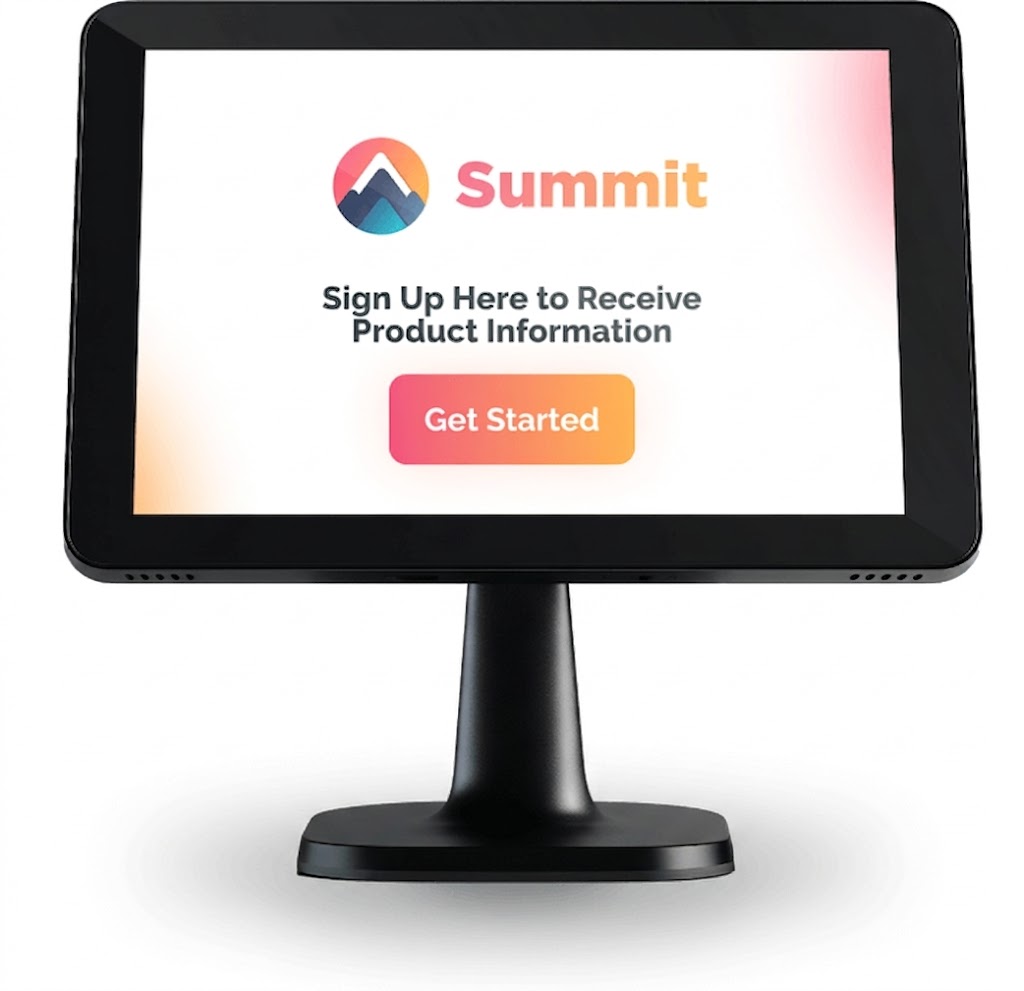
- Customizable Forms: Lead capture apps like OnSpot Social allow you to create forms tailored to your specific needs. Whether you need basic contact information or more detailed data, you can customize the form fields to suit your goals.
- Email Marketing Platform Integration: Make sure the lead capture app integrates with your favorite email marketing platform like Mailchimp, Klaviyo or Constant Contact to automate the process of sending targeted follow-up emails to leads. This feature helps maintain engagement and nurture leads through personalized communication.
- CRM Integration: If your business uses a CRM system, make sure that the data you collected can seamlessly sync with your Customer Relationship Management (CRM) system, such as HubSpot, Salesforce or others. This integration ensures that all leads are automatically imported into your CRM, enabling efficient follow-up and tracking.
- Analytics and Reporting: Gain insights into your lead capture performance with built-in analytics and reporting tools. These features allow you to monitor the number of leads collected, track engagement levels, and identify areas for improvement.
- Automated Follow-Up: Many lead capture apps offer automated follow-up features, such as sending personalized emails or texts to the leads you’ve captured. This ensures timely communication and helps keep your prospects engaged.
OnSpot Social offers all of these features and it provides a comprehensive solution to efficiently capture and manage leads, enabling timely follow-up and continuous optimization of your lead capture strategies. Try OnSpot Social for FREE with a 14 day free trial to experience these features and benefits.
Analyzing and Optimizing Your Lead Capture Strategy
Analyzing and optimizing your lead capture process will help maximize your event marketing efforts and ensure you get the most out of your captured leads. Here are some key steps to help you make data-driven improvements:
- Monitor Key Metrics: Monitoring key metrics is essential to ensure that the leads you capture are qualified and move smoothly through the sales funnel. Furthermore, focus on metrics that provide insights as low in the sales funnel as possible, such as:
- Lead Conversion Rate: Track the percentage of captured leads that convert into actual sales. This metric helps you understand the effectiveness of your lead capture and follow-up processes.
- Engagement Rate: Measure how engaged your leads are with your follow-up communications. High open and click-through rates in emails can indicate strong interest and engagement.
- Response Time: Monitor how quickly your team follows up with captured leads. Faster response times can significantly improve conversion rates.
- Lead Qualification Rate: Assess the quality of your leads by tracking the percentage that meets your predefined qualification criteria. This ensures you are capturing leads that are more likely to convert.
- Pipeline Velocity: Measure how quickly leads move through the sales pipeline. Faster progression can indicate a more efficient lead capture and nurturing process.
- Customer Acquisition Cost (CAC): Calculate the cost of acquiring a new customer from captured leads. This helps you evaluate the return on investment (ROI) of your lead capture efforts.
- Use Analytics Tools: Leverage the analytics and reporting tools provided by your lead capture app. These tools can help you visualize your data, track trends over time, and identify patterns that can inform your strategy. For example, OnSpot Social offers robust analytics features that allow you to monitor the performance of your lead capture forms and follow-up campaigns.
- Conduct A/B Testing: Experiment with different form designs, messaging, and follow-up sequences to see what works best. Additionally, conduct A/B tests to compare variations and determine which approach yields the highest engagement and conversion rates. Then, use the results to refine your strategy. For more information on how to conduct A/B testing, refer to HubSpot’s guide on A/B testing.
- Gather Feedback: Collect feedback from your sales and marketing teams, as well as from the leads themselves. Understanding their experiences and challenges can provide valuable insights into how you can improve your lead capture process.
- Optimize Follow-Up Processes: Review the timeliness and effectiveness of your follow-up communications. Also, ensure that automated messages are personalized and relevant to the leads’ interests. Further, optimize the timing and frequency of follow-ups to maintain engagement without overwhelming your prospects.
This continuous improvement will help you maximize the potential of your captured leads and drive better results for your business.
Common Mistakes to Avoid with Lead Capture
While lead capture apps can significantly enhance your marketing efforts, certain common mistakes can undermine their effectiveness. Here are some pitfalls to watch out for and tips on how to avoid them:
- Overcomplicating Your Forms: Complex forms with too many fields can overwhelm potential leads and discourage them from filling out the form. Keep your forms simple and ask only for the most essential information to ensure higher completion rates. For example, Expedia once discovered that a single unnecessary data field cost them $12 million in lost revenue. Read more about this in ZDNet’s article.
- Ignoring Follow-Up: Failing to follow up promptly with leads can result in lost opportunities. Ensure you have an automated follow-up process in place to engage leads as soon as they are captured and continue to engage leads even after the first contact. Also, personalized follow-ups can make a significant difference in conversion rates.
- Not Understanding Your Customers: Failing to understand your customers’ needs, preferences, and pain points can result in ineffective lead capture efforts. Develop detailed buyer personas, understand and define your sales funnel and continually gather feedback to ensure your forms and follow-up processes are aligned with your target audience’s expectations.
- Not Using Analytics: Neglecting to use the analytics tools provided by your lead capture app means missing out on valuable insights. Thus, regularly review your data to understand what’s working and where improvements are needed.
- Lack of Team Training: If your team is not adequately trained on how to use the lead capture app and follow-up processes, it can lead to inefficiencies and errors. Provide comprehensive training and resources to ensure everyone is proficient with the tools and processes.
- Failing to Integrate with Other Tools: Not integrating your lead capture app with your CRM and email marketing platforms can lead to data silos and inefficiencies. Ensure seamless integration to streamline your lead management and follow-up processes.
Avoiding these common mistakes can maximize the effectiveness of your lead capture efforts and achieve better results.
Conclusion
Incorporating a lead capture app into your event strategy can significantly enhance your ability to gather and manage potential customer information. By following the steps outlined in this blog—defining your goals, identifying your target audience, designing effective forms, planning a follow-up process, integrating essential tools like email marketing and CRM systems and analyzing and optimizing your event strategy—you can streamline your lead capture efforts and improve overall efficiency.
Ready to transform your lead capture process and boost your sales and marketing efforts? Try OnSpot Social for FREE and experience the benefits firsthand. Get access to our 14-Day FREE trial that includes full access to all features to be used on one device.
Don’t want to provide a credit card for the free trial? No problem! Begin your FREE trial today WITHOUT a credit card required.
FAQ
The most effective method is using a lead capture app rather than physical business cards. These apps allow you to use customizable digital forms to gather contact details, which are then automatically organized into a centralized database, preventing lost information and ensuring accurate data entry.
Speed is vital. Research indicates that 35-50% of sales go to the vendor that responds first. To maximize conversion rates, you should have a pre-planned follow-up strategy, utilizing automated emails or texts to engage the prospect immediately while the connection is still fresh.
When selecting an app, look for customizable forms to suit your specific data needs, offline capabilities, and robust integrations. It is critical that the app integrates with your existing CRM and email marketing platforms to automate data syncing and follow-up communications.
You may be asking for too much information. Complex forms with too many fields can overwhelm potential leads. To improve completion rates, keep forms simple and ask only for essential information. (For example, Expedia once lost $12 million in revenue due to a single unnecessary data field).
You should monitor key metrics provided by your app’s analytics tools. vital metrics include Lead Conversion Rate (leads turning into sales), Customer Acquisition Cost (CAC), and Pipeline Velocity. Tracking these helps you evaluate the financial impact of your strategy and identify areas for improvement.