
Introduction: Let’s Get Started
Collecting email addresses at events should be quick, simple, and stress-free for both your team and your visitors. In this practical workflow guide, we will cover how to set up simple digital forms, capture leads offline, and automate follow-ups.
To succeed, you only need three things: a compelling reason for people to sign up, a reliable collection app, and a prompt follow-up strategy. When your technology runs smoothly in the background, your booth staff can focus on what actually matters—building real relationships.
That is where OnSpot Social comes in. By setting up your forms, event tags, and entry rules in the web admin dashboard before the show starts, you eliminate booth administrative stress. The app cleans up duplicate emails automatically and works seamlessly offline, making lead capture completely hassle-free.
Whether you are prepping for a major trade show, a regional conference, or a local pop-up, this simple workflow will help you grow a clean, high-converting email list.
Decide What Leads Will Receive
Before you create a single form field, finish this sentence: “People who sign up will receive…”
Be specific. Give people a compelling reason to let you collect email addresses at events. For example, you might offer:
- A downloadable buyer’s guide or checklist
- An exclusive event-only discount code
- Monthly industry tips and product previews
Pick an offer your team can deliver easily, and explicitly state how often you plan to email them.
Keep the Choice Crystal Clear
A general newsletter signup and a request for a specific product guide serve two very different needs. Use clear, simple language so visitors know exactly what they are opting into.
If you are running a giveaway or contest, clearly explain the prize and how the winner will be contacted. Always keep newsletter opt-ins as a clear, separate option. Finally, ensure your opt-in form includes your business’s official consent language to stay fully compliant with privacy laws.
Choose the Right Collection Setup
Decide who will be typing in the information before setting up your hardware:
- Self-Service Station: Place a tablet on an eye-level stand for visitors who prefer browsing on their own.
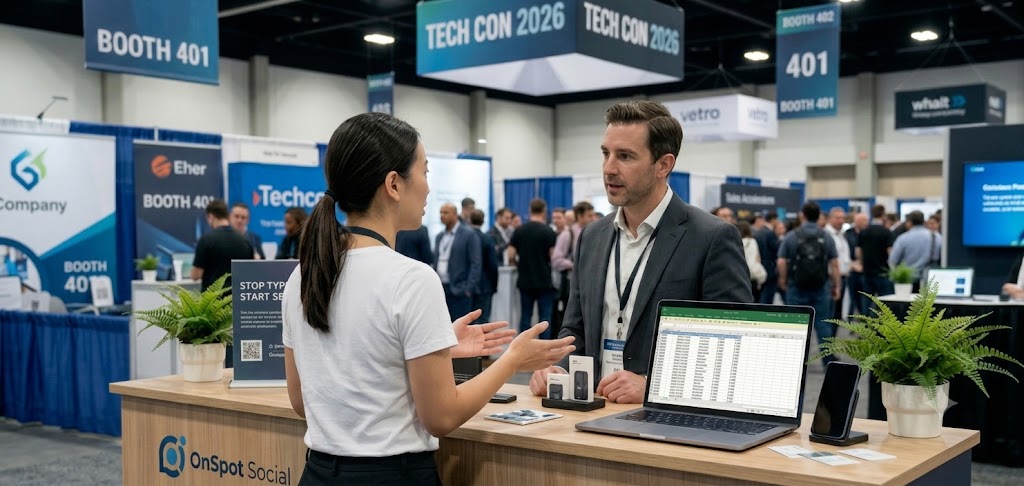
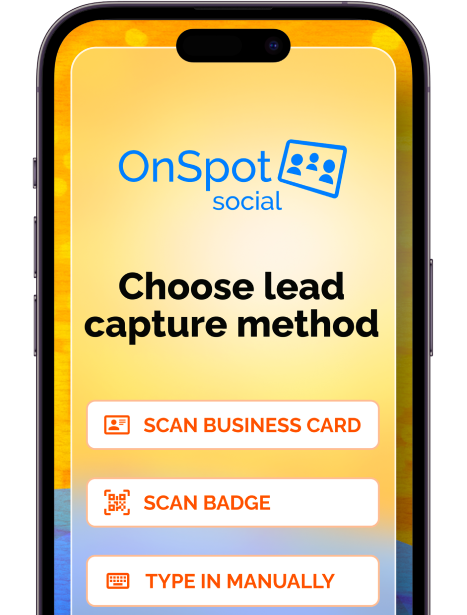
- Staff-Guided Capture: Equip team members with phones or tablets so they can input details directly while chatting with attendees.
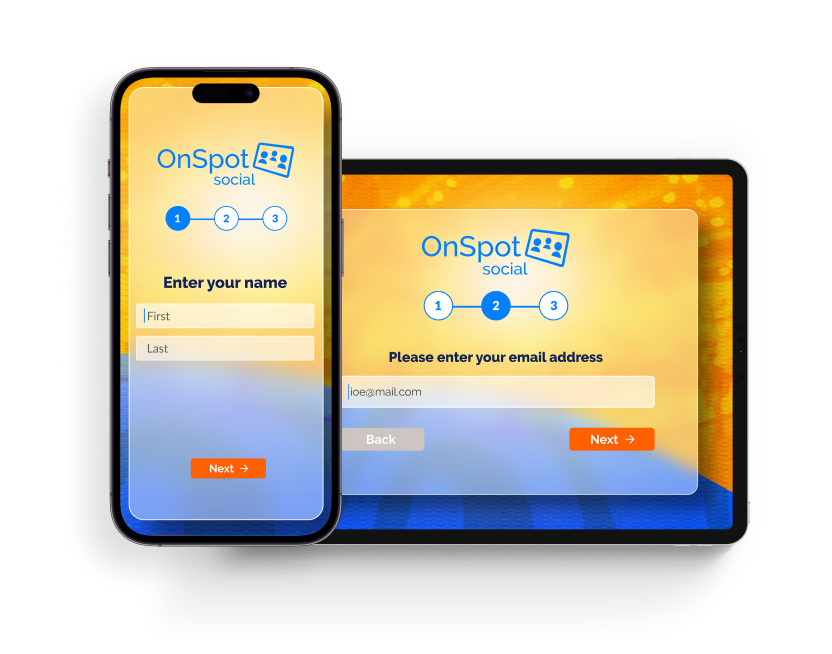
OnSpot Social supports both approaches. A self-service kiosk lets people sign up at their own pace, while staff-guided entry fits seamlessly into live product discussions.
Keep Your Forms Short and Sweet
Long forms kill conversion rates—especially on a busy show floor. Stick to the absolute essentials: an email address and a clear permission checkbox.
If you need segmentation data, add one simple question. For instance, an equipment supplier might ask: “Which category fits your business best?” This single answer allows you to send targeted follow-up content without bogging visitors down in a lengthy survey.
Inside OnSpot Social, each question appears on a clean, separate screen. This guides users through the form in just a few quick taps.
Configure Settings and Event Labels in Advance
Duplicate data wastes time and distorts marketing metrics. Fortunately, OnSpot Social handles duplicate removal automatically. You can also adjust your web admin settings to allow only one entry per person if you are running a single-entry giveaway.
Before heading to the show, create a distinct event name and tag (e.g., Chicago-TechShow-Oct2026). These labels keep your leads neatly organized, making export and segmentation effortless later on.
Train Your Staff and Carefully Choose your Signage
Give your team a simple, natural pitch to use during conversations.
Try saying: “We send a quick monthly email with practical tips on choosing equipment. Would you like me to send you the next issue?”
Place this exact same message on your booth signage near the tablet. Matching your signage, staff pitch, and form wording builds immediate trust and sets clear expectations.

Collect Emails Seamlessly (Even Without Wi-Fi)
Spotty venue Wi-Fi is a nightmare for event marketers. OnSpot Social can operate completely offline, allowing your team to collect email addresses at events without relying on venue Wi-Fi.
Once you are back on a stable network, simply open the app and leave it running, to sync all saved contacts directly to your web account.
Send Prompt, Relevant Follow-Up Emails
The secret to converting event leads is speed. Plan your follow-up email campaign before the event starts so it is ready to launch as soon as the floor closes.
Match the Expectation: Send subscribers the exact guide, promo code, or newsletter they requested.
Export Easily: Download clean contact records straight to Excel from the Reports tab in your admin portal, or sync them directly with your CRM.
Make Your Opening Line Recognizable
Remind the recipient where you met and what they asked for:
“Thanks for stopping by our booth at the Equipment Expo! As promised, here is your copy of our Machine Buyer’s Guide.”
Keep the email focused on a single call-to-action (CTA)—such as downloading the guide, viewing a product demo, or scheduling a quick call.
Review Performance and Refine for Next Time
After the event, check your OnSpot Social dashboard to evaluate your total collected leads. Then, review open rates, link clicks, and direct replies inside your email platform.
Look closely at what resonated:
- Did one particular lead magnet get far more clicks than another?
- Are attendees asking similar questions in their email replies?
Use these real-world insights to refine your offer, polish your form questions, and make your next event even more profitable.
Conclusion
Collecting email addresses at events does not have to involve messy paper forms, lost leads, or unreliable venue Wi-Fi. By defining a clear offer, keeping your signups short, and using a dedicated app like OnSpot Social to capture data offline, you turn a hectic trade show floor into a predictable pipeline for new business.
The real magic happens when technology does the heavy lifting in the background—removing duplicates, organizing tags, and saving your team valuable time. That way, you can focus on making real connections during the event and delivering valuable content right after.
Ready to make your next event your most profitable one yet? Set up your form, prepare your offer, and start capturing qualified leads with confidence.
OnSpot Social automatically removes duplicate email addresses. The account holder can also choose whether only one entry is accepted in the web admin settings. Configure the entry preference for your event during setup and let the app handle repeat emails.
Give the incoming team member the signup invitation and a brief explanation of what visitors will receive. The form, entry settings, and event labels are already configured, so the handover can stay focused on the offer and the conversations taking place at the booth.
Make each brand’s subscription choice clear in the form. Visitors should be able to tell which company will email them and what they will receive. Agree beforehand which team will send each follow-up, and use the visitor’s choice to guide it.
Before your next event, set up a short form in OnSpot Social’s email collection app, choose your entry settings, and name or tag the event. Once collection is ready, your team can focus on welcoming visitors and following up with content they value.